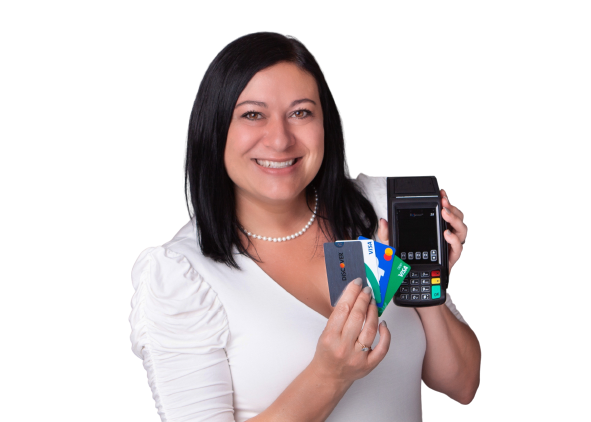
Cloud-based POS systems are changing how local shops work. Store owners can now track inventory, reach customers, and run their operations from anywhere with an internet connection. These systems don’t just replace the cash register—they unlock faster checkouts, let staff help customers on the sales floor, and keep sales data safe and up-to-date.
Shops no longer have to rely on old software or worry about server crashes. Updates happen automatically, and new features arrive without any hassle. With real-time reports and easy tools, local businesses make smarter decisions, adapt quicker to trends, and offer a smoother shopping experience. Cloud POS brings big-store flexibility to small shops, helping them stay sharp in a crowded market.
A cloud-based POS (Point of Sale) system is not just a fancy cash register in the cloud—it’s the backbone of modern retail. For local shops, it replaces bulky on-site servers and outdated software with a nimble solution you can run from almost any device connected to the internet. This flexible approach gives smaller retailers access to the same smart tools that big stores use, but without the high upfront costs. Let’s break down the key features that give cloud-based POS systems an edge.
A stylish store checkout counter featuring a floral bouquet and digital payment system.
Cloud Infrastructure
With a cloud-based POS, all your shop’s vital sales and inventory data live on secure, remote servers. You don’t need your own IT department, because these systems tap into world-class security and backup from major service providers. Think of it as renting a vault in a high-security bank—your business records are safe, even if your store’s computer crashes or gets lost.
Real-Time Data Sync
Cloud POS stands out for its ability to sync sales, inventory, and customer info as it happens—all in real-time. This means staff never have to wonder if they’re looking at outdated numbers.
Remote Access
Ever needed to check your sales from home—or on vacation? Cloud-based POS makes it easy. Because everything is online, you simply log in from any internet-connected device.
Multi-Device Compatibility
Forget being tethered to one cash register. Cloud POS works across modern devices, letting your team flex with the needs of the day.
In summary, the core features of a cloud-based POS system—secure cloud infrastructure, real-time sync, remote management, and broad device support—set local shops up to respond faster, sell smarter, and serve customers better. These foundations open up the freedom to grow and adapt in ways that just aren’t possible with old-school systems.
Cloud-based POS isn’t just another tech upgrade—it transforms how local shops adjust, grow, and serve customers. Whether it’s managing your shop from the beach, syncing online and in-store sales, or popping up at a weekend market, a cloud POS keeps you nimble and ready for anything. Let’s look at the key ways this technology helps local retailers stay one step ahead.
Remote Access and Mobile Management
You’re not chained to the cash wrap anymore. With a cloud POS, business owners and staff can jump into their sales dashboard from any device—laptop, tablet, or phone—wherever there’s internet.
Say goodbye to guesswork and messy spreadsheets. Cloud POS systems update inventory levels automatically with every sale—no matter where it happens.
Growth doesn’t need to be hard—or expensive. Cloud POS lets shops scale up quickly, whether you’re opening a second storefront or cashing in at a local event or holiday market.
Integration with E-commerce and Marketing Tools
Running an online store, loyalty club, or text campaign? Cloud POS makes these connections simple with built-in or plug-and-play integrations.
Cloud POS systems help local shops adapt faster, serve customers better, and stay ready for what’s next.
Security and Data Management in Cloud POS Systems
Keeping customer data and sales information safe is a top priority for every local shop using cloud-based POS. These systems have to balance flexibility with security, making sure that critical data isn’t left unprotected—no matter where or how staff operate. Let’s break down the three pillars of cloud POS security: encryption and compliance, reliable backups, and smart user management.
Data Encryption and Compliance Standards
A person analyzing cybersecurity data on a laptop in a dimly lit room.
[https://images.pexels.com/photos/5475814/pexels-photo-5475814.jpeg?auto=compress&cs=tinysrgb&dpr=2&h=650&w=940]
Photo by Antoni Shkraba Studio [https://www.pexels.com/@shkrabaanthony]
Cloud POS platforms treat customer information like gold—they lock it down with strong encryption both at rest (when data is stored) and in transit (as data travels across the internet). Here’s what this really means for your shop:
Many providers take it further, using multi-factor authentication and even biometric logins for extra protection. With cyber threats getting smarter, some platforms are adopting zero-trust architecture—no one gets in without constant verification.
Automated Backups and Disaster Recovery
Losing sales data to a computer crash or security breach isn’t just frustrating—it could threaten a shop’s whole business. With cloud-based POS, robust backup and disaster recovery tools are built in.
Here’s how cloud POS keeps your shop ready for anything:
Advanced systems now use immutable backups—snapshots of your data that can’t be altered or deleted by malware. This is key for bouncing back from ransomware attacks that target backup files themselves.
Managing User Access and Staff Security Awareness
Technology is only as strong as the people using it. That’s why cloud POS systems put a spotlight on controlling access and boosting staff awareness.
Best practices in this area include:
Smart shops combine these tech tools with a culture of security. It’s about making sure everyone plays their part in protecting customer trust and business data.
With these layers in place, cloud-based POS helps local retailers stay nimble and secure—no matter how quickly trends or threats evolve.
Real-World Success: Case Studies of Local Shops Using Cloud POS
Cloud POS is more than just theory—it’s proven in the daily grind of neighborhood shops and cafes everywhere. Small retailers are swapping clunky cash registers for sleek tablets, seeing the difference show up in speed, staff productivity, and happier customers. Here’s a look at how real businesses are thriving with cloud-based POS.
Faster Checkout and Improved Customer Experience
A cheerful couple enjoying their time in a vibrant, small market shop filled with snacks.
[https://images.pexels.com/photos/28494748/pexels-photo-28494748.jpeg?auto=compress&cs=tinysrgb&dpr=2&h=650&w=940]
Photo by Huy Nguyễn [https://www.pexels.com/@simeart]
Local shops like Smith’s Corner Café and Laughing Man Coffee are perfect examples. By switching to mobile-first cloud POS, both shops dropped average transaction times by 30–60%. Staff aren’t stuck behind a counter waiting to ring up a line—they walk the floor, check out customers by their table, and even accept contactless payments outdoors at events.
Key benefits they’ve reported:
Cloud POS isn’t just about speed—it turns typical pain points into positive moments that shoppers remember.
Operational Efficiency and Reduced IT Burden
Small store owners used to sink hours into fixing POS terminals or updating old software. Cloud POS eliminates those headaches. Most systems (like Square, Clover, and SpotOn) push out automatic software updates, so shops always run the latest features—no technician visits or downtime required.
Real shops highlight these time-savers:
Smith’s Corner Café estimates it saves thousands per year in tech costs and labor compared to their previous POS setup. Money stays in the business, and owners can focus on what matters—serving customers and building the brand.
Seamless Growth and Multi-Channel Selling
Once stuck with one register and paper receipts, local shops now open pop-ups or a second store without hitting pause. With cloud POS, businesses like The Laughing Man Coffee expand to new locations by just logging in and setting up shop—the system syncs inventory, sales, and even loyalty points across every site.
Success stories include:
Retailers report saving days—sometimes weeks—of setup time versus traditional POS installs, and they scale operations without hiring new IT help. Cloud POS lets these shops act bigger than they are, all while staying lean and focused.
These real-world wins show cloud POS is not just a tech upgrade—it’s a toolkit for local shops to run smarter, sell faster, and grow on their own terms.
Key Considerations When Choosing a Cloud-Based POS System
Selecting the right cloud-based POS system is a big move for any shop wanting flexibility and growth. The options may seem endless, but not all systems are built the same. To get the best fit, consider features that drive your day-to-day efficiency, make sure your data is always secure, and calculate what the system really costs over time.
Assessing Features for Flexibility and Growth
A person using a touchscreen ordering system in a modern restaurant setting.
[https://images.pexels.com/photos/12935078/pexels-photo-12935078.jpeg?auto=compress&cs=tinysrgb&dpr=2&h=650&w=940]
Photo by iMin Technology
[https://www.pexels.com/@imin-technology-276315592]
The real power of cloud POS lies in how well it adjusts to your unique business needs. Look for systems that make it easy to add new registers, manage mobile sales, and connect with popular apps like accounting, e-commerce, or loyalty platforms.
Focus on these features to support growth and flexibility:
Choose a POS that grows with your store. The right system makes moving to a second location or online as easy as clicking a button, not making another big investment.
Evaluating Security and Support
Trust is everything in retail—customers need to know their payment data is safe. Go beyond the sales pitch and ask tough questions about how the POS protects your information 24/7.
Key things to check for:
Solid security and dependable support keep you focused on customers, not tech glitches or potential breaches. Pick a vendor with a proven track record, clear support promises, and real transparency around how they handle data.
Total Cost of Ownership and ROI
A cloud POS is an investment, not just a purchase. Look at the full picture, not just the monthly bill.
Break down your costs:
Smart retailers look at how fast a cloud POS pays for itself:
Choose a POS system that brings clear savings, makes staff more productive, and frees up your time. If it delivers real value month after month, that’s the true return you want.
Conclusion
Cloud-based POS systems free local shops from rigid routines and costly tech issues. With real-time insights and easy access, owners run their business from anywhere—no fuss, just results. Flexible payment options and simple inventory updates strip away daily headaches and welcome new sales channels, new customers, and more possibilities.
This technology gives local shops the power to adapt quickly and handle busy seasons or sudden changes without missing a beat. Forward-thinking retailers are already using cloud POS to sharpen operations and strengthen customer loyalty. If you want your shop to stay nimble and ready for whatever comes next, now is the moment to explore a cloud-based POS.
Thanks for reading—your thoughts and stories can help other local shops grow smarter. Share your experience or questions below.